Hop Hop Hop AI Video Doesn't Look Like Us?
 Hop Hop Hop AI Team
Why the faces in a Hop Hop Hop AI video can look off, the photos that fix it, and what to do when a video doesn't look like you or your friend.
Make your hop hop hop video
Puppet master first
Hops first
Best results: one clear, front-facing subject per photo, waist-up or full body, good light. No sunglasses or heavy filters.
You'll get a 9-second silent video — add the original TikTok sound when you post.
You'll sign in first — your photos stay selected.
Your Hop Hop Hop AI video doesn't look like you? Most Hop Hop Hop AI videos look just like the people in the photos, and when one doesn't, it's nearly always the photo. This guide explains why a face can change in a Hop Hop Hop AI video, the photos that give the best likeness, how to choose between Standard and HD for faces, and what to do if your video still doesn't look like you or your friend.
Why a Hop Hop Hop AI face can look off
The AI rebuilds each face from your photo in every frame of the hop hop hop routine. It can only keep what the photo shows clearly. The usual causes:
- The face is small in the photo. A full-body shot from far away gives the AI only a few pixels of face.
- Something hides the face: sunglasses, a cap, hair over the eyes, a hand, a phone, a mask.
- Heavy filters. Beauty filters change your face, and the AI copies the filtered version.
- Bad light. Dark, blurry or backlit photos lose the details that make a face yours.
- A side profile. The trend is filmed facing the camera, so the AI has to guess the rest.
- Extra people in the photo. The AI may pick the wrong face.
- Fast motion. The puppet hops and flails; in the most energetic frames faces are smaller and softer, just like in a real video.
The best photos for Hop Hop Hop AI
| Do | Avoid |
|---|---|
| One person per photo | Group photos |
| Facing the camera | Side profiles |
| Whole face visible | Sunglasses, caps, hands on the face |
| Waist-up or full body, face clearly visible | Tiny faces far from the camera |
| Daylight or bright indoor light | Dark, blurry or backlit shots |
| A plain phone photo | Beauty filters and heavy edits |
| A recent photo | Old photos that don't look like you today |
For One photo of both, stand side by side, both fully visible and facing the camera. Photos need to be at least 400 px wide; any phone photo works.
Input photos
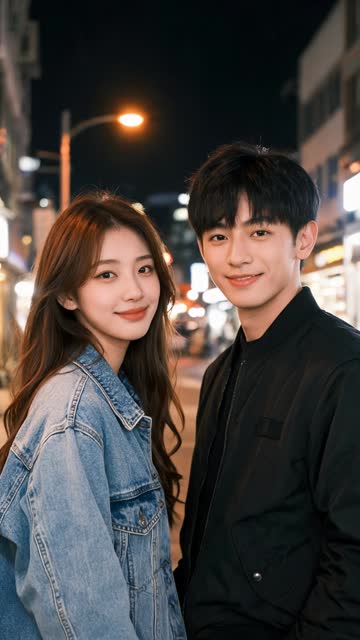
AI video · Couple · one photo of both
Standard or HD for better faces?
HD (720p, 180 credits) gives faces more pixels, which helps when your photo is sharp. With a small or blurry photo, HD won't fix the likeness: change the photo first. For most TikTok posts, Standard (480p, 100 credits) is enough. See how much a Hop Hop Hop AI video costs.
What to do if your Hop Hop Hop AI video doesn't look like you
- Pick a better photo using the table above, and make the video again.
- Crop group photos down to one person each, or use "One photo of both" with only the two of you.
- Try HD if your photos are already sharp.
- If the video clearly failed (the wrong people, broken faces), email us with the video and we'll look at it.
Failed renders are refunded automatically. A video that renders but that you don't like isn't a failure, so the photo is the thing to fix.
Will the people from the original TikTok be in my video?
No. The original hop hop hop video only guides the moves, the timing and the camera. Only the people (or pets) in your photos appear in your Hop Hop Hop AI video, with their own faces, hair and clothes.
Pets and likeness
For dogs and cats, the whole body visible works best, with the face clear and not mid-blink. More in hop hop hop with your dog or cat.
Input photos
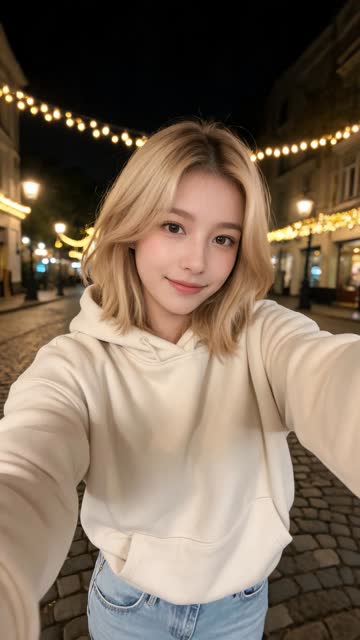
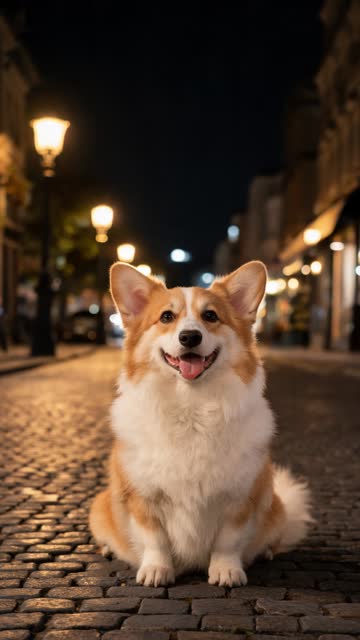
AI video · Girl + corgi · two photos
Hop Hop Hop AI face issues: quick answers
Why doesn't my Hop Hop Hop AI video look like me? Usually the photo: a small face, filters, bad light or something covering the face.
What photo works best for Hop Hop Hop AI? One clear, front-facing photo per person, face fully visible, good light, no filters.
Does HD make faces look more like us? It helps with sharp photos. It can't fix a poor photo.
Can I use a group photo? Crop it to one person per photo, or use "One photo of both".
Do I get credits back if the faces are wrong? Failed renders are refunded automatically. If a finished video is clearly broken, email us.
Does Hop Hop Hop AI use my photos for training? No. Photos are used only for your video and deleted after 30 days.
Try again with a better photo
Got a clearer photo? Make your Hop Hop Hop AI video again in about 3 minutes.