How to Post Your Hop Hop Hop AI Video
 Hop Hop Hop AI Team
Post your hop hop hop AI video with the trend sound: TikTok step by step (venadeaakira, «Её парень»), Reels and Shorts, captions, hashtags and the AI label.
Make your hop hop hop video
Puppet master first
Hops first
Best results: one clear, front-facing subject per photo, waist-up or full body, good light. No sunglasses or heavy filters.
You'll get a 9-second silent video — add the original TikTok sound when you post.
You'll sign in first — your photos stay selected.
Made your hop hop hop AI video? Here's how to post it so it lands on the trend. Your hop hop hop AI video is a 9-second, 9:16 silent MP4 with no watermark. It's silent on purpose: adding the trend's sound inside TikTok puts your post on the trend's sound page and keeps you clear of copyright problems. This guide covers saving your video, adding the hop hop hop sound on TikTok step by step, posting to Reels and Shorts, captions, hashtags and the AI label.
Save your hop hop hop AI video
- On your phone: open the video in My Videos and tap Save / Share.
- On a computer: use Send to phone. Scan the QR code and the video opens on your phone, ready to save.
- Download: you can also download the MP4 directly.
Your video stays in My Videos for 90 days.
Post your hop hop hop AI video on TikTok
- Tap +, then Upload, and pick your hop hop hop AI video.
- Tap Add sound at the top.
- Search venadeaakira and pick «Её парень» (0:11). That's TikTok's "original sound – venadeaakira", a slowed cut of the song by Shluzov.
- Make sure the sound starts at the beginning.
- Add your caption and hashtags.
- Open More options and switch on AI-generated content.
- Post.
Can't find the sound? Open any hop hop hop video, tap the spinning record at the bottom right and choose Use this sound. The hop hop hop song guide has more ways.
Input photos
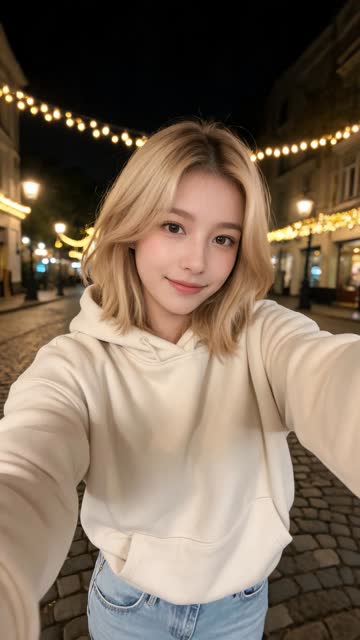
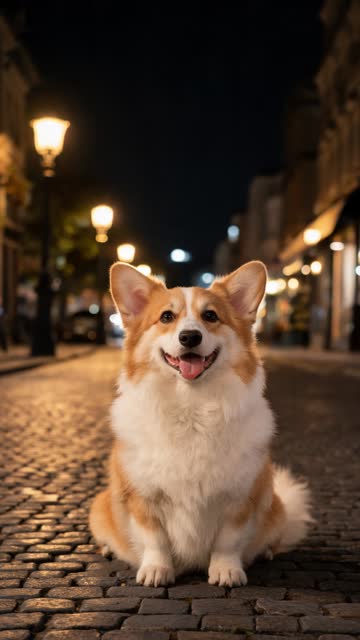
AI video · Girl + corgi · two photos
Post your hop hop hop AI video on Reels and Shorts
| Platform | How to add the sound | AI label |
|---|---|---|
| TikTok | Add sound → search "venadeaakira" → «Её парень» | More options → AI-generated content |
| Instagram Reels | Add audio → search the song, or use the audio from a hop hop hop Reel | Advanced settings → AI info |
| YouTube Shorts | Under a Short with the sound, tap the audio name → Use this sound | Follow YouTube's altered or synthetic content setting |
If the exact sound isn't in that app's library, any version of «Её парень» works. The video is only 9 seconds.
Captions for your hop hop hop AI video
Keep it short and about the two of you:
- "who's really pulling the strings"
- "revenge at 0:05"
- "he thought he was the puppet master"
- "my dog runs this house" (pet version)
Hashtags for the hop hop hop trend
#hophophop #hophophoptrend #hophophopai #puppet, plus your own (#bestie, #couple, #dogsoftiktok).
Why the AI label matters
Switch on the platform's AI-generated label. It's required for realistic AI video on TikTok, and people enjoy the trend just as much when they know.
Small edits that help before you post
- Trim nothing. The video is already timed to the trend; 9 seconds is the right length.
- Add a text hook in TikTok, like "who's the puppet now?", for the first second, then let it disappear.
- Pick a cover frame where both faces are visible, so the thumbnail shows who's in it.
- Keep the original sound volume off. The video is silent, so only the trend sound plays.
Best time to post
Post when your friends are online, usually evenings. Tag the other person in the video: their followers see it too.
Posting your hop hop hop AI video: quick answers
Why is my hop hop hop AI video silent? On purpose, so you can add the trend's own sound on TikTok and join its sound page.
What sound do I use? "original sound – venadeaakira": search venadeaakira and pick «Её парень».
Can I post my hop hop hop AI video on Instagram and YouTube? Yes. There's no watermark and you can post it anywhere.
Do I need to label it as AI? Yes, switch on the platform's AI-generated label.
How long do I have to download it? It stays in My Videos for 90 days.
Haven't made one yet? Start on the home page: two photos, about 3 minutes.