
Green tee, at home
There is no single best bicep heart AI tool for everyone, but there is a quick way to find the best one for you. Use this scorecard, watch for the red flags, and run one cheap test before you buy a big pack anywhere, including here.
Your photo
Best results: a clear, front-facing photo from the waist up, with your face and both arms in view, good light. Short sleeves show the flex best.
Your 7-second video comes with the trend sound and caption already on it.
You'll sign in first — your photos stay selected.
Trend sounds are for personal posts. Not happy with a finished video? Email us within 7 days. Refunds
Judge the result, not the landing page: does it still look like you, does the heart land on the beat, is the sound on it, and is the video sharp enough to post? Then check how you pay, what happens when a render fails and what happens to your photo.
Give each one a point. Five or more and the tool is worth a real try.
Likeness: it is still clearly you, same face and outfit.
Timing: smile, flex, heart, in step with the trend sound.
The heart closes: the hand really lands on the bicep.
Sound included, or at least a clean silent version.
Caption option, and no watermark on paid videos.
Sharp enough to post: 720p or better for vertical video.
Fair terms: failed renders refunded, clear photo retention.
For a trend you will post once or twice, a monthly plan you forget to cancel costs more than any video.
If the page only shows the original creator's clip, you cannot judge their AI.
You are uploading a face. No retention period or training statement is a no.
Renders sometimes fail; good tools give the credits back automatically.
Pick your best photo: you alone, waist up, both arms in view.
Buy the smallest option and make one video at the cheaper quality.
Score it with the card above; only then buy more or try HD.
Compare with a second tool using the exact same photo.
Made on Hop Hop Hop AI from the single photo under each clip. Tap for sound. The people are AI-generated.
Green tee, at home
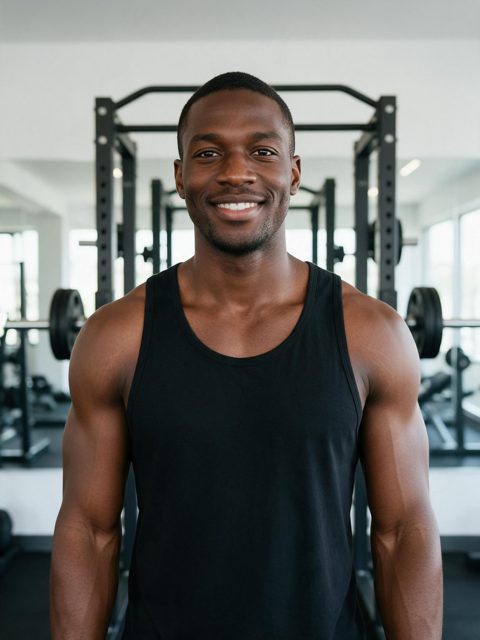
Black tank, in the gym
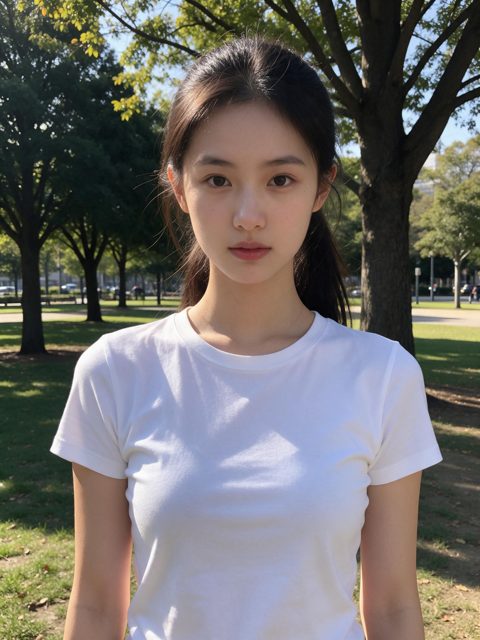
White tee, outdoors

Navy tee, in the kitchen
Use the exact same photo in both, at similar quality, and score the results on likeness, timing, whether the heart closes, sound and sharpness.
For a one-off trend, avoid subscriptions. Credits are good if the tool has other trends you will use too; per-video pricing is simplest if you only want this one.
Subscription-only pricing, no real sample results, no clear photo policy, and no refund when a render fails.
Here you get the bicep heart from one photo following the trend timing, with the sound and an optional caption, no watermark, in Standard (480p, 100 credits) or HD (720p, 180 credits). Credits never expire, work for our other dance trends too, and failed renders are refunded. Photos are deleted after 30 days and never used for training.
One photo, one Standard video, then judge it with the scorecard.
Make my bicep heart video